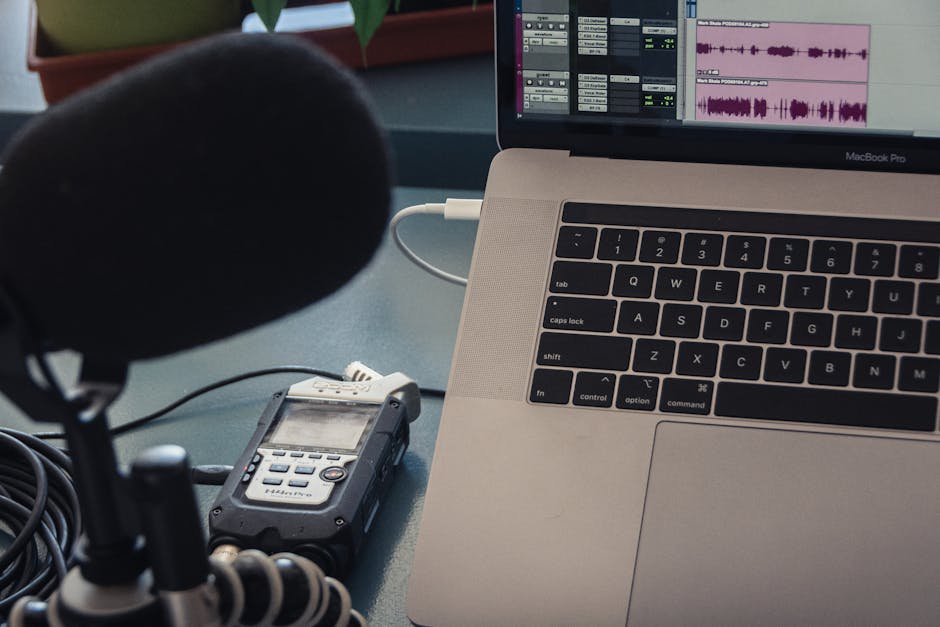
The relentless march of technology hasn’t spared us in 2026, and yet, recording a lecture from home still feels like wrangling tech gremlins rather than harnessing digital magic. Every sound glitch and video blur screams “amateur hour”—hardly the ambiance most educators are going for. So, why is it so tedious? Because without a solid strategy, you’re fumbling in the dark. Here’s your beacon of enlightenment.
Why Recording Lectures from Home Often Fails
Lack of clarity around tools and techniques is the primary villain here. Many dive into recording with basic knowledge, thinking a standard webcam mic and natural light will do the trick. Spoiler alert: it won’t. Visual and audio quality are tantamount to engagement, and without them, you might as well cancel the lecture.
Setting Up Your Home Studio
Getting professional results starts with treating your home like a studio, not an afterthought. Ignore the clutter by getting your hands on a green screen or rearranging your background to look ordered and academic. And no, your laundry pile doesn’t qualify as academic.
Essential Equipment
To record a lecture from home in 2026, here’s what you need in your arsenal:
- Camera: Upgrade from your laptop webcam. An HD webcam like the Logitech C930e offers much needed clarity and pricing starts at roughly $100.
- Microphone: Ditch the webinar-style echo with a quality mic. Consider the Blue Yeti USB mic, at about $130, paired with an optional pop filter to reduce those pesky plosives.
- Lighting: Natural light gets moody. Invest in a softbox lighting kit for around $80, ensuring consistency across your recordings.
- Recording software: OBS Studio remains a champion of flexibility and is free to boot. It demands a learning curve, but the control it offers is unmatched.
The Recording Process
Now, gear in hand and settings ready, plan for seamless execution. Here’s how:
Pre-Recording Checks
Start by removing any potential intrusions—this isn’t the time for the neighbour’s lawnmower to debut. Record a test segment to adjust lighting, check audio levels, and ascertain everything’s in perfect sync.
Scripting Your Lecture
While spontaneity might have its charm, a well-crafted script or at least a bullet-pointed outline ensures coherent content delivery. People remember engaging stories, not off-the-cuff ramblings.
Executing the Recording
With bated breath, hit record. Maintain eye contact with the camera to mimic an in-person feel. Speak clearly, and remember to pause for emphasis, guiding your lecture from one talking point to the next seamlessly.
Post-Production Magic
Raw footage rarely cuts it in 2026. Get editing software like Adobe Premiere Rush, priced at $9.99 per month, to trim, polish, and overlay visuals for captivating educational experiences.
Perfecting the Final Output
Review your final edit with a critical eye or, better yet, enlist trusted feedback. Are you articulate? Is there a visual hiccup? Spot these annoyances before your students do.
FAQs About Recording Lectures from Home
What’s the best camera for recording lectures?
Consider HD webcams like the Logitech C930e for clarity. An external camera may also enhance video quality.
Which microphone should I use for lectures?
The Blue Yeti USB mic offers excellent audio quality; pair it with a pop filter for best results.
How can lighting impact my recording quality?
Inconsistent lighting affects video quality. Use softbox lights for even and professional lighting.
Which recording software is recommended for beginners?
OBS Studio is flexible and free, but it requires some learning. Other options are available but often at a cost.
Do I need to edit my lecture recordings?
Yes, editing can enhance professionalism and help create engaging content through software like Adobe Premiere Rush.
The Final Verdict
Recording lectures from home doesn’t have to be a nightmare underscored by dodgy audio and shaky visuals. With the right equipment and approach, you’ll transition from tech novice to a polished pro. The year 2026 could be your educational renaissance if only you put the effort in where it counts. But remember, nothing replaces an effective story, executed with clarity and purpose.
Test everything. Trust nothing. — Alex

Leave a Reply